Slides
Presentations made together, shown with confidence.
Slides opens PowerPoint files as PowerPoint draws them: themes, layouts, 180 shapes, charts, transitions and animations, speaker notes and a presenter view.
Free for 14 days. No card needed to start.
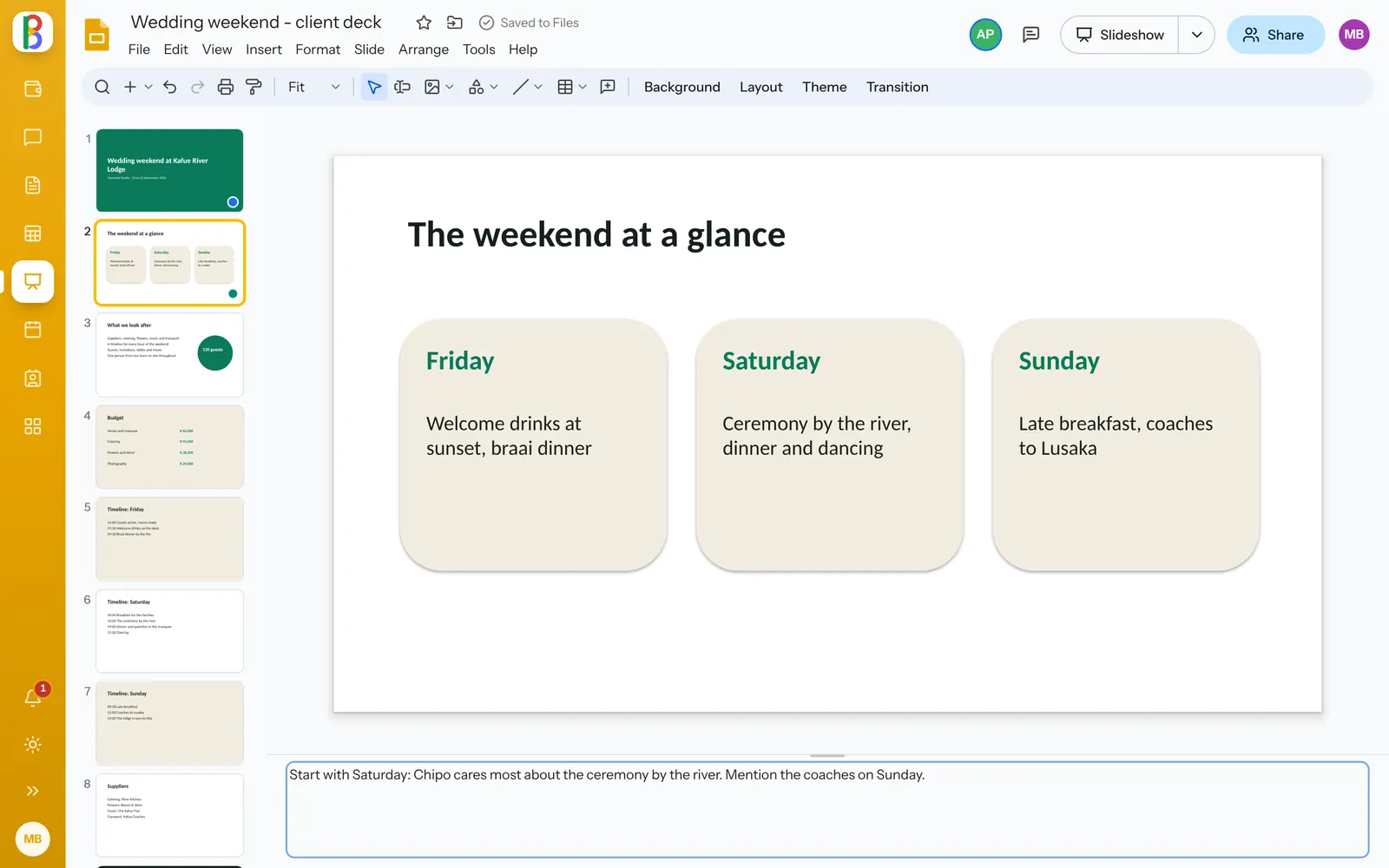
Everyone on the same deck.
See each other’s selections and typing, comment on a slide or anything on it, and assign a comment to someone you mention.
- Import slides from another presentation
- Check accessibility: titles, alt text and tiny text
- Version history with named versions
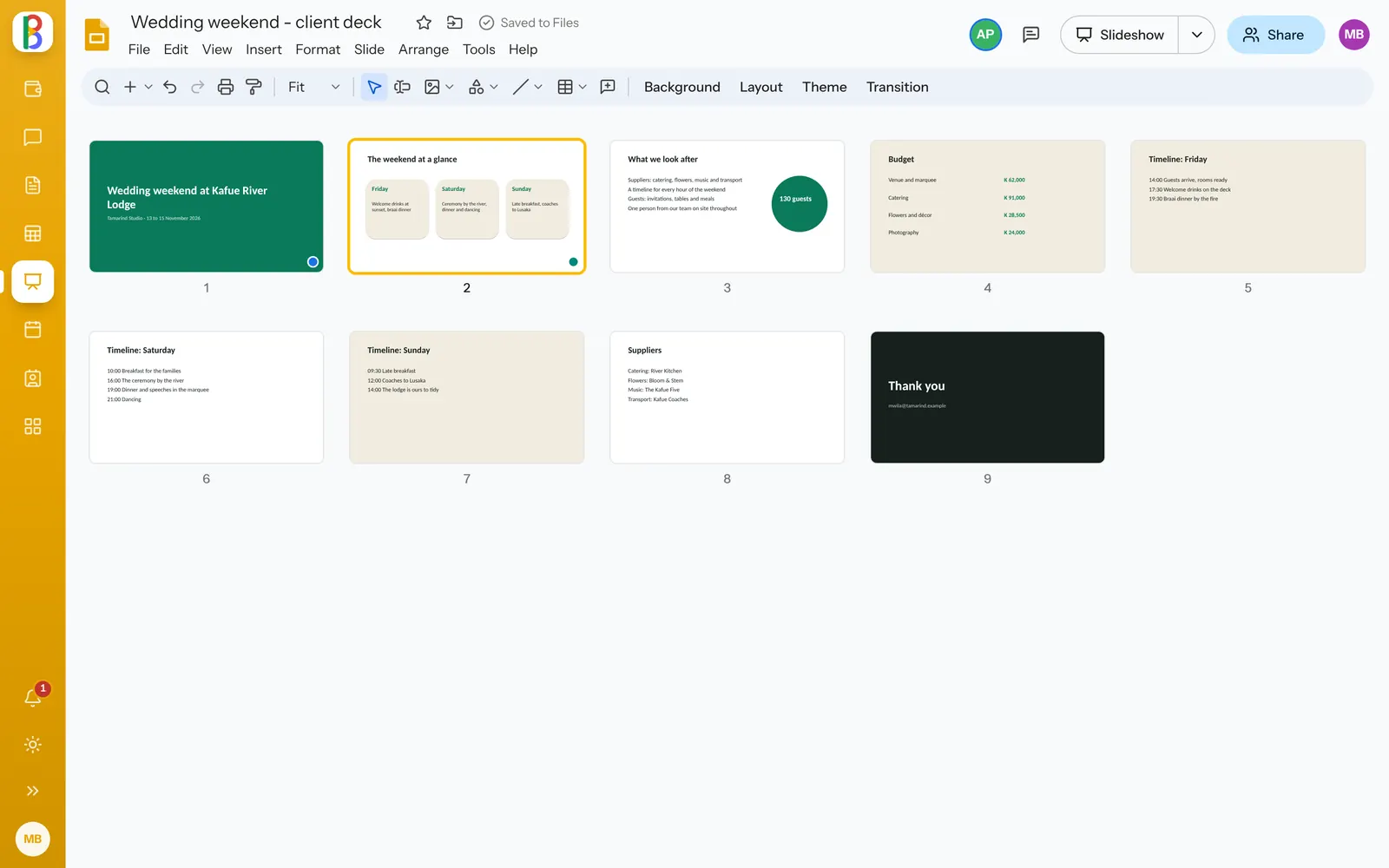
From the first slide to the last click.
-
A presenter view
The slide, the next one, your notes, a timer and the clock, in a window of its own.
-
Text as PowerPoint sets it
Bullets by level, fonts, spacing, columns and text that shrinks to fit.
-
Connectors that follow
Lines and arrows glue to the shapes they join and move with them.
-
Pictures, cropped and masked
Crop, mask to a shape, adjust and describe every picture.
-
Transitions and animations
Fade, push, wipe, zoom and more, played in the slideshow as PowerPoint plays them.
-
Eight themes to start
Simple Light and Dark, Ink, Coast, Meadow, Studio, Paper and Focus.
Works with your other apps
Send a deck, or a link to one slide, in Talk or by Mail.
-
Files
A drive for everyone, and one for every team.
-
Talk & Meet
Channels, messages and video meetings.
-
Mail
Email on your own domain, or the mail you already have.
Questions about Slides
Will our PowerPoint files look the same?
Slides draws what the file holds: its theme, layouts and masters, and saves back into the same .pptx, so it opens in PowerPoint, Keynote or LibreOffice as you left it.
Can I present from Slides?
Yes. The slideshow plays transitions and animations, with a laser pointer and a presenter view.
Make your next presentation together.
Start a free trial; your PowerPoint files open as they are.