Docs
Write together, in Word documents.
Docs opens .docx files on real pages, with styles, footnotes, tables of contents and comments. Everyone who can open a document writes in it at once.
Free for 14 days. No card needed to start.
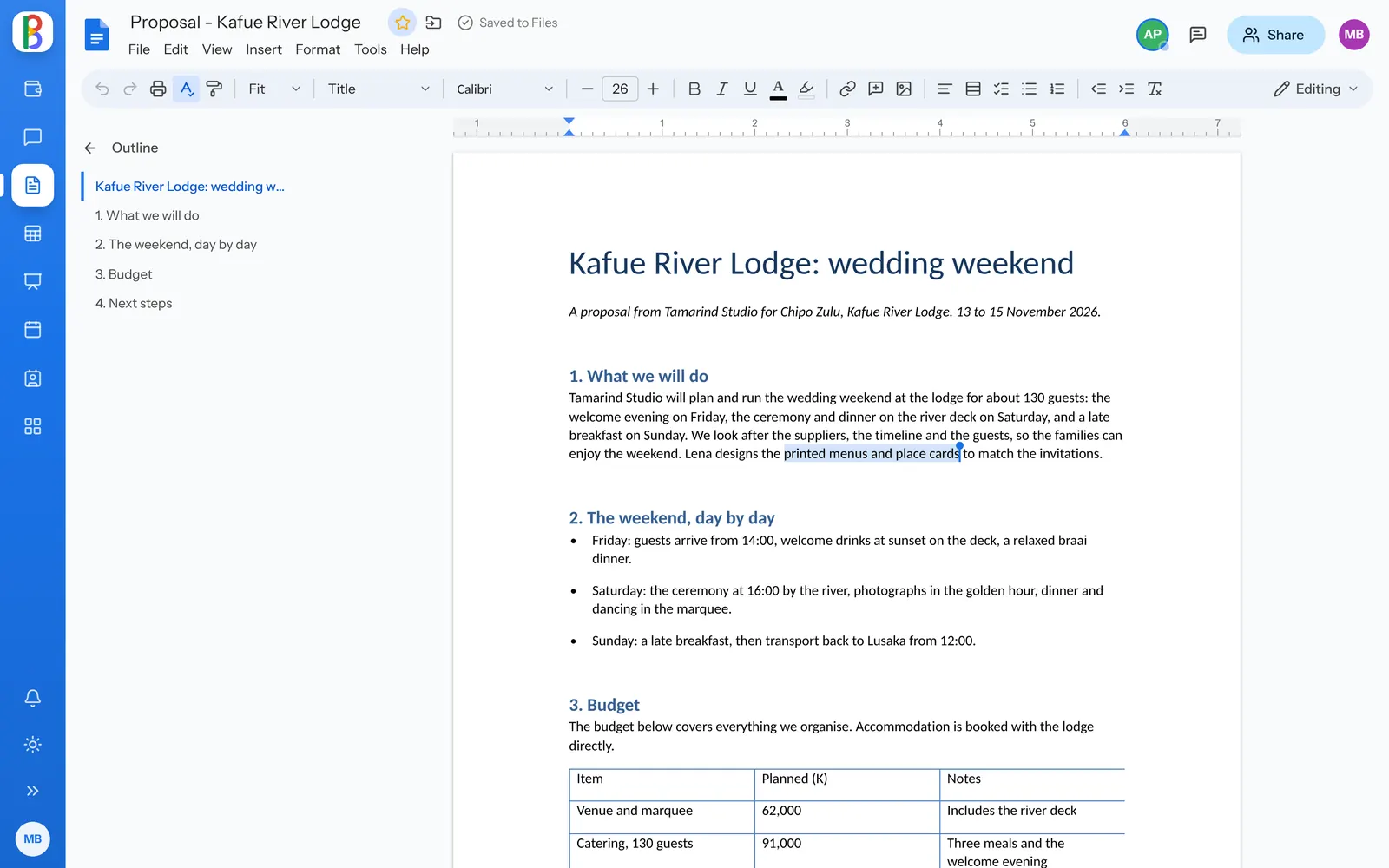
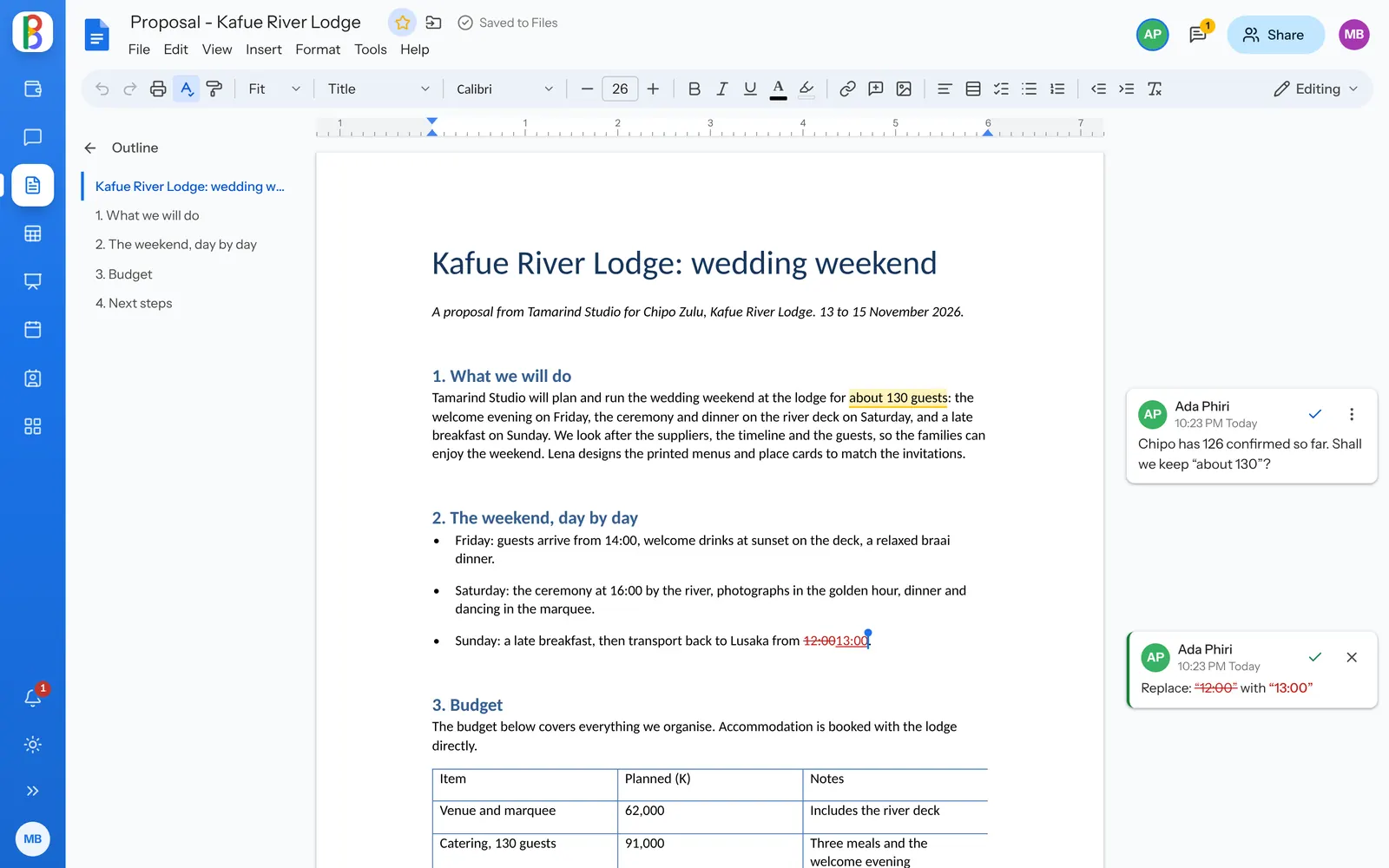
Suggest, comment, decide.
Switch to Suggesting and what you type becomes a suggestion in your colour, accepted or rejected with a click. Comments sit beside their words, and @someone tells them.
- Accept all or reject all, with Undo
- Version history by day, with named versions
- Compare two documents as suggestions
What Word files hold, kept whole.
-
Opened as themselves
Equations, content controls, charts, SmartArt, text boxes and watermarks open as they are, not as placeholders.
-
Writing that keeps up
Markdown habits, curly quotes, find and replace, and voice typing in browsers that can listen.
-
Templates to start from
Letter, résumé, meeting notes, project proposal and report, each a real Word file.
-
Help me write, if you want it
When your admin turns on AI, Docs drafts and rewrites at the cursor. You see it before it goes in.
-
Translate a document
With AI on, a copy in another language, laid out the same, appears beside the original.
-
Download in any format
Word, PDF, OpenDocument, Rich Text, EPUB, web page or Markdown.
Works with your other apps
Documents live in Files, go out through Mail and get discussed in Talk.
-
Files
A drive for everyone, and one for every team.
-
Mail
Email on your own domain, or the mail you already have.
-
Talk & Meet
Channels, messages and video meetings.
Questions about Docs
Will our Word formatting survive?
Docs writes back into the file it read and keeps what it doesn’t change, so a document saved twice is the same file. Parts it can’t edit yet, such as WordArt, are kept and labelled.
Can we open .doc and .odt files?
Yes, to read. Make an editable copy and Docs saves a .docx beside the original.
Is the AI writing help on for everyone?
Only when your admin turns it on. When it’s on, the text you ask about is sent to the AI provider set up for it.
Write your next document together.
Start a free trial; your Word files open as they are.