Forms
Ask anything, from a sign-up to a quiz.
Build a form with your team in the same editor, send it as a link, by email or in Talk, and watch the answers arrive as charts.
Free for 14 days. No card needed to start.
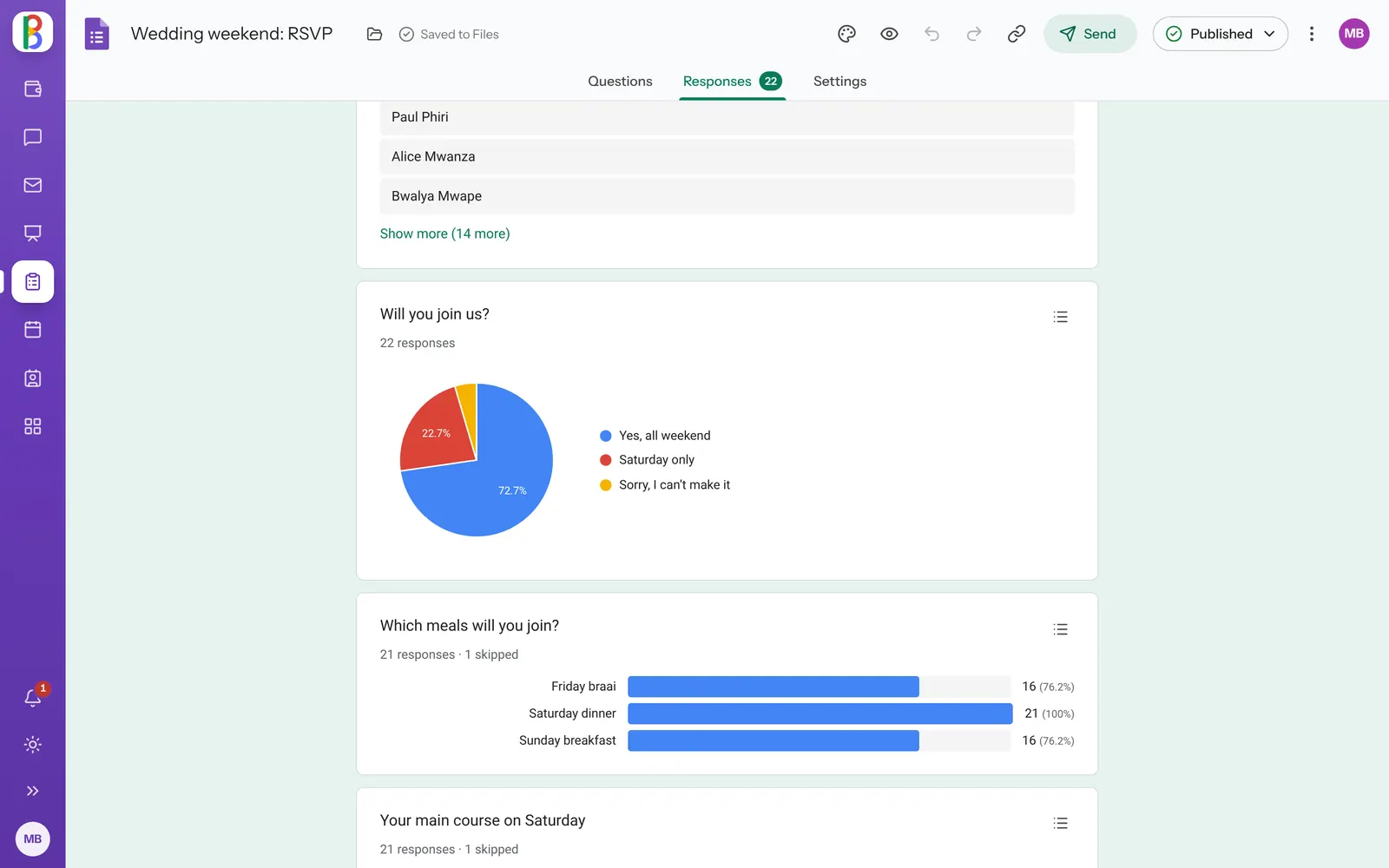
Answers, summed up for you.
Charts for every question, each response on its own, and for quizzes the average, the range and the questions most missed.
- Link to Sheets: every response becomes a row
- An email for each new response, if you want one
- Close at a set time or after a number of responses
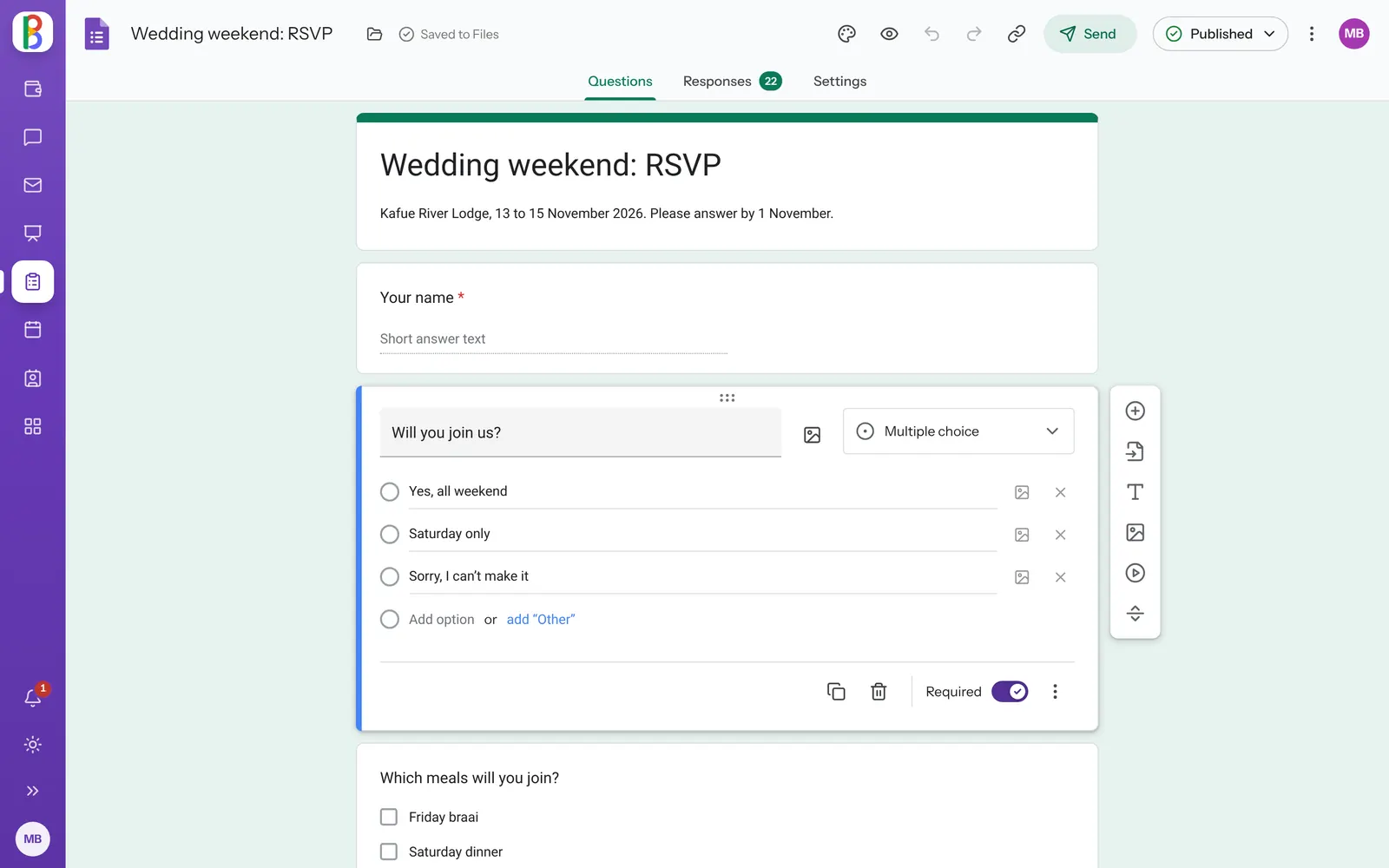
Every kind of question.
-
Twelve kinds of question
Short and long answers, choices, checkboxes, drop-downs, scales, ratings, grids, dates, times and file uploads.
-
Sections and paths
A page for each section, and the next one picked by the answer someone gives.
-
Quizzes
An answer key, points and feedback, released at once or when you’re ready.
-
Your colours
Twelve colours or your own, a header picture and the fonts you like.
-
Who can answer
Anyone with the link, or only people with an account, once each if you like.
-
Easy to answer on a phone
A progress bar, Back that keeps answers, and answers kept as people go.
Works with your other apps
Send a form by Mail or in Talk, and keep the answers in Sheets.
-
Sheets
Excel workbooks everyone can be in at once.
-
Mail
Email on your own domain, or the mail you already have.
-
Talk & Meet
Channels, messages and video meetings.
Questions about Forms
Do people need an account to answer?
No, unless you choose that. A form with a file upload question always asks people to sign in.
Can I change a form after it’s out?
Yes. People keep answering the version you last published until you publish your changes.
Ask your first question.
Start a free trial and send a form in minutes.